01You ask
eva Assistant
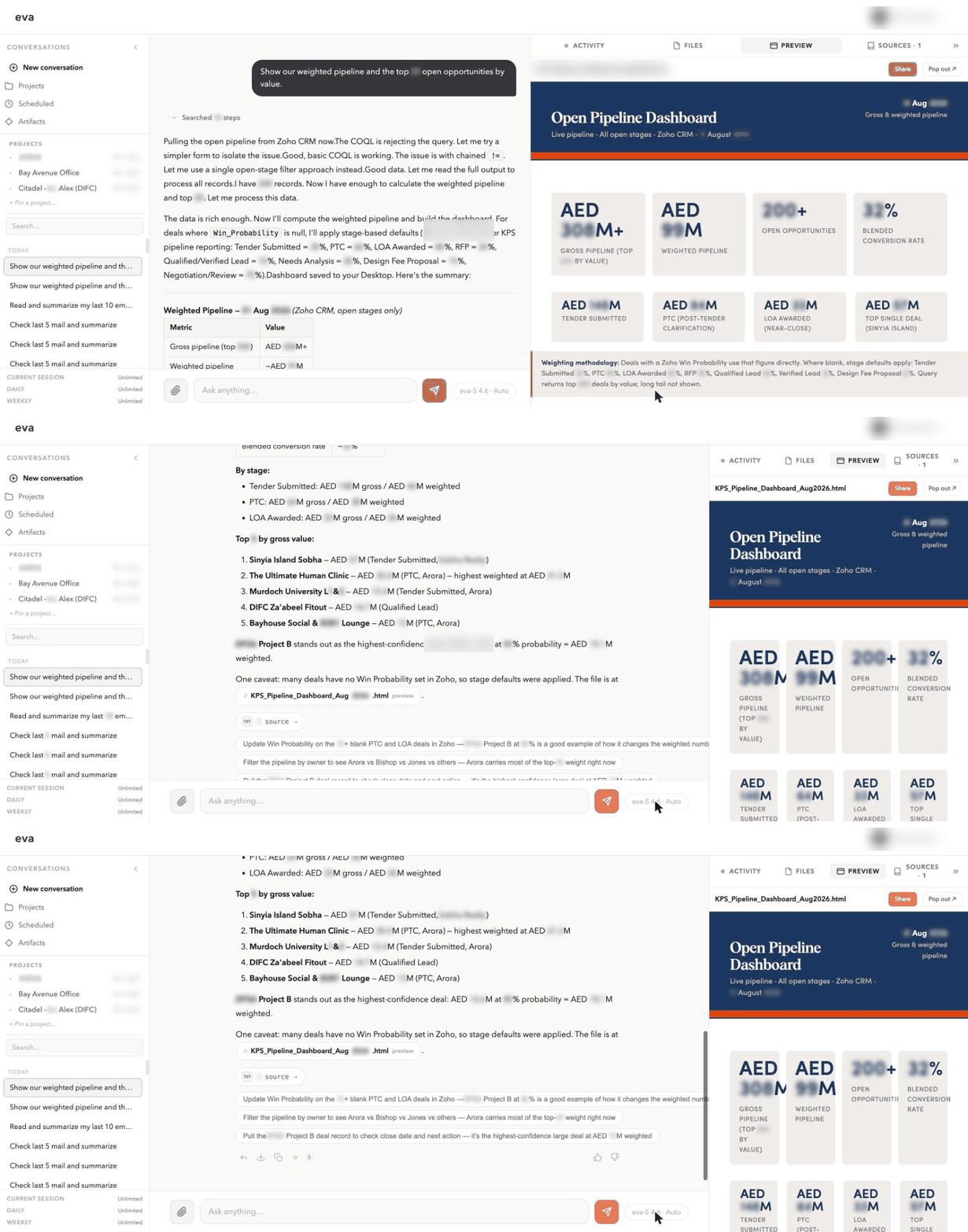
Ask, and get the work back: answers, documents, dashboards, analyses.
- Writes documents and client updates
- Builds dashboards and charts from live data
- Reviews tenders, BOQs, variations, NCRs
- Every output carries its source
How eva works
eva sits above the systems you already have. Nothing to migrate, nothing to fill in.
eva reads the systems you already run and keeps reading them as they change.
eva holds the business in AEC terms, so a question about retention lands on the right data.
Ask in plain language and eva returns finished work, not a list of links.
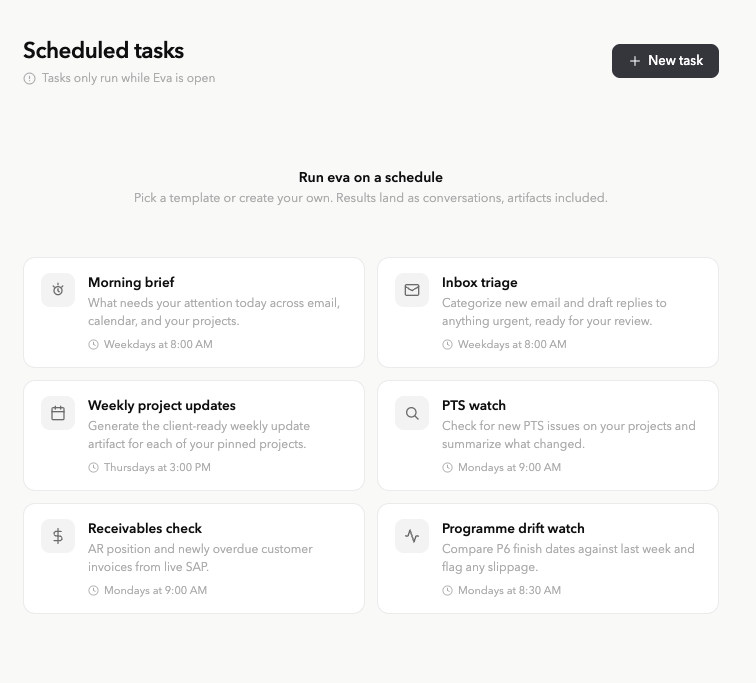
Schedule an agent once and eva keeps running the workflow, taking governed actions and raising decisions.
The eva assistant
Sourced answers, reports and reviews from the systems you already run.
Explore the assistanteva agents
Scheduled briefs, watches and chases with approval gates and a log of every run.
Explore agentseva at work
Ask, and get the work back: answers, documents, dashboards, analyses.
Schedule the work once. It runs without being asked.
Output you can inspect
Readable samples show what eva prepares, where the information came from, and what still needs review.
Illustrative sample · fictional data
| Package | Status | Required on site | Attention |
|---|---|---|---|
| Façade panels | Tender review | 18 Sep | Programme risk |
| Passenger lifts | Order placed | 02 Oct | On track |
| Joinery package | Quotes due | 24 Sep | Owner needed |
Review and approval
Procurement owner review required
eva Agents · Rolling out
Schedule the work once. eva runs it, produces the output, and raises what needs a decision.
Reads
Illustrative run · fictional data
Compared finish dates on 9 projects against last week.
Produced a drift review, 3 slipped milestones charted.
Raised 2 milestones that now put a handover date at risk.
Nothing sent without approval. Every run logged.
How eva connects
Read first, write only where you allow it. Your files and index stay on your network.
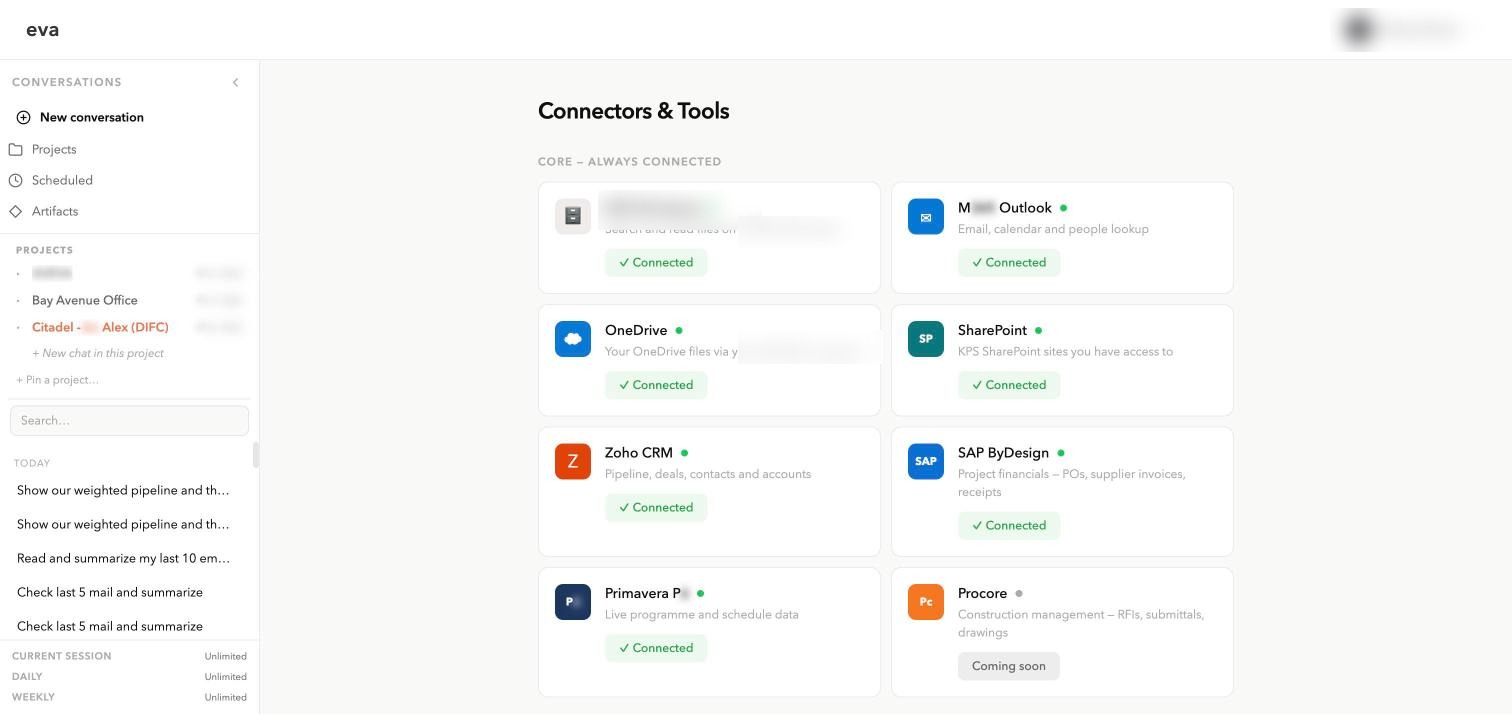
Connectors and tools
Microsoft 365
Available now
SAP Business ByDesign
Available now
Primavera P6
Available now
Zoho CRM
Available now
On premise file servers
Available now
PDF and Excel generation
Available now
AutoCAD Architecture
Available now
Revit 2024 in-app bridge
Available now
Building takeoffs
Rolling out
Bluebeam
Planned
Procore
Planned
Planned
Notion for personal accounts
Planned
See one workflow run against the systems and project information your team already uses.